Estimated read time: 9 minutes
You have just been handed a Keyence panel at a factory in Johor, Penang or Singapore, and the laptop says KV Studio. The CPU is a small brick labelled KV-16DR, nobody on the shift has the manual, and the only "training" online is a brochure. This guide is the map we wish every engineer had before a first Keyence job: what the hardware is, how KV Studio thinks, and how it compares with the Siemens and Mitsubishi panels you already know.
It is written for maintenance engineers, electrical technicians, fresh graduates and project engineers across Peninsular Malaysia, Sabah, Sarawak and Singapore. Everything here is educational. It is not a procedure for a live machine.
What KV Studio Actually Is
KV Studio is Keyence's programming and monitoring software for the KV family of PLCs. You use it to build the hardware configuration, write the ladder program, comment every device, simulate the logic on the laptop, and then download, upload, monitor and back up the CPU. VT Studio sits beside it and builds the screens for Keyence's own touch panels, so the HMI is never a separate skill you learn later.
If you already program in TIA Portal, GX Works3 or Sysmac Studio, the workflow will feel familiar within an hour: create a project, pick the CPU, write ladder, go online, watch the bits change. The differences are in the device names and in how compact the hardware is. Keyence sells heavily into inspection and small-machine builders, which is why you meet it on packaging lines, test jigs and conveyor cells rather than on the big process PLC.
The KV-16DR, in Plain Numbers
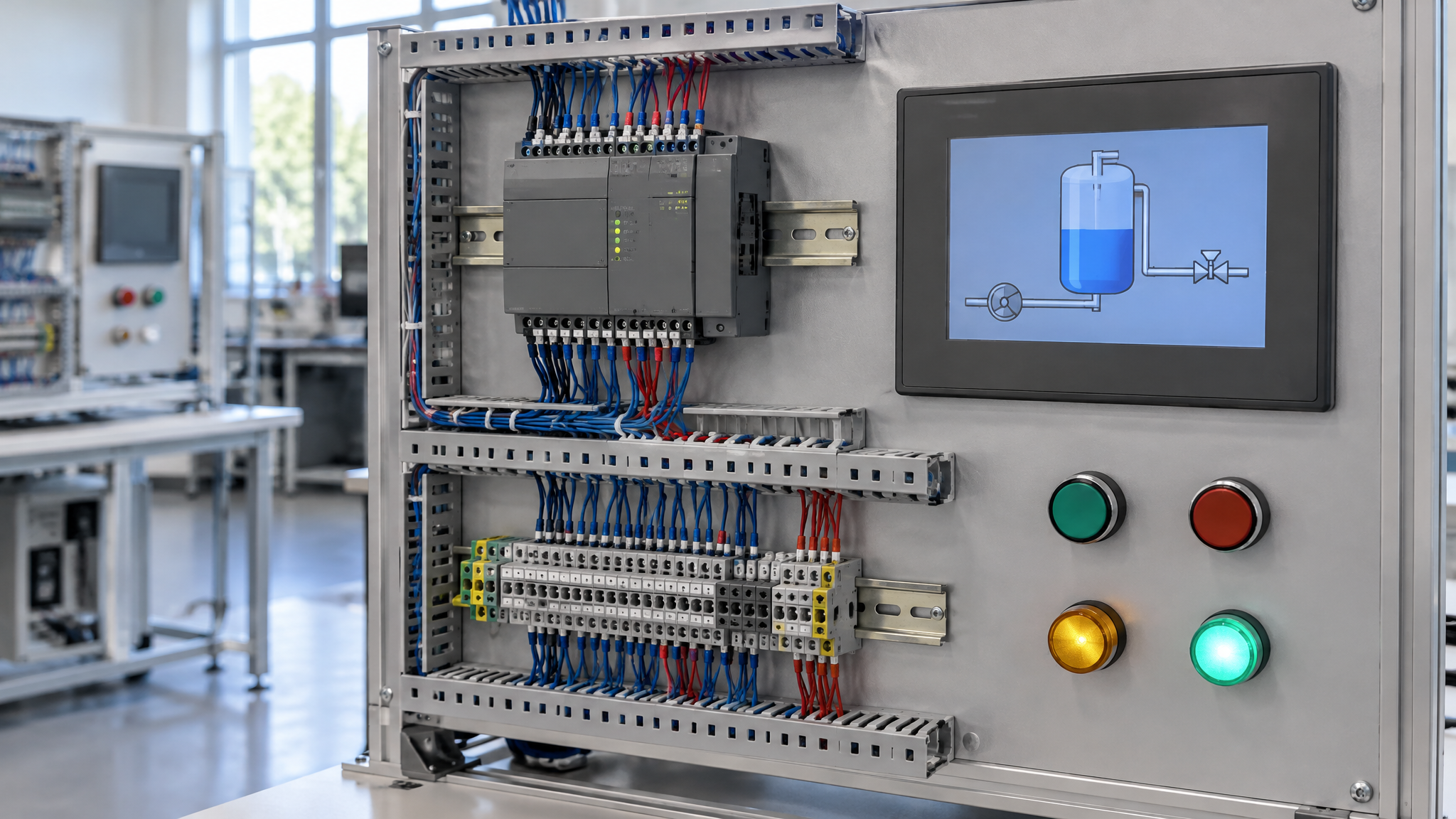
The KV-16DR is a base unit in Keyence's Visual KV series, and it is the CPU we put on the bench in our Keyence classes. Read the part number and it tells you the story:
- 16 total I/O points on the base unit.
- D for DC power. The unit runs on 24 VDC, with a tolerance of roughly +10% to −20%, and draws up to about 120 mA.
- R for relay outputs. A T suffix on the same family means transistor outputs instead.
Inside that 16 you get 10 inputs and 6 relay outputs. Relay outputs are forgiving: they switch a lamp, a small contactor or a solenoid of either polarity, which is why trainers like them. They are also slow and they wear. Transistor outputs (the T suffix) switch faster and last longer, but they are polarity-sensitive and usually share a common, so you keep them for high-speed loads. On an unfamiliar panel, read the suffix first.
The base unit also has serial ports for programming and for a small operator interface, plus battery-backed memory with EEPROM backup so the program survives a power cut. Expansion is possible, but check the manual before you assume an older analog or expansion card will fit.
How Keyence Names Its Devices
This is the part that slows people down, and it is simpler than it looks. Where a Siemens programmer says "M", "T", "C" and "DB", Keyence uses short device prefixes. Learn these five and you can read most KV ladder:
- R — relay devices. Think of them as your internal bits and, on the base unit, the image of the physical inputs and outputs. R000 onwards is where a maintenance engineer starts tracing.
- MR — internal auxiliary relays. These are your scratch bits: seal-in flags, mode flags, one-shots. They are not wired to terminals, so they are safe to use while you learn.
- T — timers. You set a preset and the timer bit comes on when the time elapses.
- C — counters. Same idea, counting events instead of time.
- DM — data memory. Word storage for setpoints, analog values and calculation results. On the Visual KV series, DM0 to DM1999 is the usable range, with part of that range reserved as special data memory, so do not treat every address as free.
One comfort if you are switching brands: KV Studio lets you pick the key style you type with, including layouts close to Mitsubishi and Omron habits. The device names stay Keyence, but your fingers do not have to relearn everything on day one.
A First Ladder Rung, the Way We Teach It
Every brand we train starts the same way, with the Mixer Tank idea: a start button, a stop button, a motor output and a seal-in contact. On a KV-16DR the shape of that rung is no different from an S7-1200 or an FX5U.
- A normally open contact for the start input, in series with a normally closed contact for the stop input.
- Those drive the motor output coil.
- A normally open contact of that same output seals in around the start button, so the motor stays running after you release it.
Release the stop and the rung drops out. That one rung teaches you how an input maps to a terminal, how an output maps to a relay, and why a seal-in is not a latch that survives power loss. In class we then add a run-delay timer on a T device and a cycle counter on a C device, and you watch both in the monitor while you press real buttons. Simulate on the laptop first: it is the cheapest place to discover your stop contact was drawn the wrong way.
KV Studio Against the Software You Already Know
Engineers in Malaysia and Singapore rarely meet only one brand. Here is the honest comparison:
- TIA Portal (S7-1200, S7-1500): heavier and the default on new plants. KV Studio opens faster and is easier to survey on a small machine, but it will not replace a TIA project with drives and SCADA behind it.
- GX Works3 (FX5U): the closest relative in day-to-day feel. Both target machine builders. If your FX5U ladder is tidy, your KV ladder will be tidy.
- CX-Programmer (CP1) and Sysmac Studio (NX): CX-Programmer is address-based like KV Studio, so the jump is small. Sysmac Studio is tag-based and closer to TIA Portal.
- Machine Expert (TM221) and RSLogix 5000: different menus again. The skill that transfers is reading a rung, naming your bits, and backing up before you touch anything.
Where Keyence Turns Up in Malaysian and Singapore Plants
You will rarely find a KV PLC running a whole plant. You find it where Keyence already sold the sensors: inspection on an electronics line, a reject gate on a packaging machine, a small test station, a conveyor diverter. If your main PLC is Siemens but every new jig arrives with a Keyence sensor and a small KV controller beside it, KV Studio stops you waiting days for a vendor.
Our own Keyence programme keeps the scope tight: a 3-day Basic to Intermediate course on the KV-16DR with KV Studio and VT Studio, and a 5-day Basic to Advanced course that adds analog handling and project documentation. You build the project, map the terminals, write and comment the ladder, simulate before you download, then go online and find a fault. Both run at about 80% Hands-On and 20% theory, with a maximum of ten participants. Groups of five or more can train onsite; smaller groups train at our Johor Bahru lab, with a manual, laptop, PLC hardware, certificate and free lifetime support included.
Safety note. This article is for learning only. It is not an instruction to modify, download to, or fault-find on live equipment. PLC outputs can start motors, heaters and actuators without warning. Before you connect to any controller at work, follow your site's permit and lockout-tagout rules, confirm you have the current backup, and work under your company's competent person. Practise new techniques on a training kit, not on a running production line.
Frequently Asked Questions
Is KV Studio free, and which CPU does it support?
Keyence provides KV Studio for its KV family, and your distributor is the right place to confirm the current download terms for Malaysia or Singapore. What matters for learning is matching the software version to the CPU in front of you. Our courses use KV Studio with the KV-16DR, plus VT Studio for the panel, so the project you build in class opens again on your own laptop afterwards.
Should I learn Keyence if my plant is mostly Siemens?
Yes, if Keyence hardware is arriving on your new machines, which it often does on inspection and packaging lines in Malaysia and Singapore. Your Siemens knowledge transfers: ladder structure, seal-in logic, timers and online monitoring behave the same way. You are only learning new device names and a lighter software package, not a new profession. One focused course is usually enough to stop depending on the vendor.
Can my company claim Keyence training under HRDCorp?
Yes. AS Automation Systems Training Centre PLT is an HRDCorp registered training provider, and the Keyence courses are SBL-Khas claimable for Malaysian companies, subject to your own grant approval. The minimum for a claim is two participants. Company-sponsored and personal enrolment are also welcome, including engineers based in Singapore, with the same Hands-On format and a maximum of ten per class.
What is the difference between the 3-day and 5-day Keyence course?
The 3-day course takes you from a first project to a working PLC and HMI program: configuration, ladder, timers, counters, documentation and online troubleshooting. The 5-day course adds analog input and output, data handling and a fuller project method, so you can commission rather than only edit. Pick three days to get productive fast, five if analog panels are already on your job list.
Ready to Practise on a Real KV-16DR?
Reading about device addresses is the start. Wiring them, forcing them and finding your own fault is the part that sticks. If you want that on real hardware, with a trainer beside you instead of a video, talk to us.
- See the Keyence courses and every other brand we teach: Keyence KV Studio & VT Studio, 3 Days and the full list at Courses.
- Read how a previous Keyence session ran: Keyence KV Series PLC & HMI training notes.
- Need a fault fixed rather than a course? Raise a troubleshooting request.
- Malaysian companies can claim the training under HRDCorp SBL-Khas, with a minimum of two participants. Company-sponsored and personal enrolment are both welcome.
- Want structured practice between classes? Try PLCPro Academy.
- Request a quotation: RFQ form.
- WhatsApp Mr. Yokes on +60 10-244 3914, or email [email protected].
AS Automation Services and AS Automation Systems Training Centre PLT have trained engineers in Johor Bahru since 2012: 13+ years, 301+ client organisations, 3,350+ engineers, and eight PLC brands under one roof. We are an HRDCorp registered training provider and hold ISA, GAMP, MATA and D-U-N-S registrations. Tell us your CPU model and we will tell you which class fits.
Interested in Hands-On PLC Training?
HRDCorp claimable courses on real industrial equipment — at our Johor Bahru lab or onsite at your factory anywhere in Malaysia.
Request Training Quotation