
Estimated read time: 8 minutes
If you searched for "PLC processor" and landed on a page that never explains the part, you are not alone. The processor — the CPU — is the module every maintenance engineer in Peninsular Malaysia, Sabah, Sarawak and Singapore ends up blaming first, and it is the module most people understand least. This guide explains what a PLC processor actually does, how the main families differ, and how you practise with one on a training kit rather than on a live panel.
What a PLC processor actually is
A PLC is not one box. It is a rack or a compact unit made of modules, and the processor is the one that runs the program. It reads inputs, solves the logic, and writes outputs, over and over, many times a second. Everything else — power supply, input cards, output cards, communication ports — exists to feed that processor or to carry out its decisions.
When a colleague says "the PLC crashed", they almost always mean the processor stopped solving logic. The input card may still light up. The outputs may still be wired correctly. If the processor has stopped, none of that matters, which is why the CPU status LEDs are the first thing worth looking at during any fault call.
The three jobs inside every scan
Every processor, regardless of brand, repeats the same loop. Understanding that loop is what separates someone who can read a program from someone who can diagnose one.
Input image
At the start of the scan the processor reads all the physical inputs once and stores them in an input image. For the rest of that scan it works from the stored image, not from the live terminals. That is why a sensor that flickers faster than the scan time can be missed entirely.
Logic solve
Next it solves the program from top to bottom — ladder rungs, function blocks or structured text, depending on the software. The order matters. A value computed on rung ten is not available to rung three until the next scan, and that one fact explains a large share of "it works in the simulator but not on the machine" complaints.
Output image
Only after the logic is solved does the processor write the output image to the physical output cards. Outputs therefore always lag the inputs by at least one scan. On a fast machine that lag is measurable, and on a training kit you can see it with your own eyes instead of guessing.
What changes between processor families
The scan idea is universal. The naming, the memory layout and the software are not, and mixing them up is the mistake that costs people the most time.
- Siemens. An S7-1200 or S7-1500 processor is programmed in TIA Portal, and the CPU, the I/O and the WinCC Comfort HMI all live in one project. An older S7-300 processor is programmed in Simatic Manager with WinCC Flexible, and the two environments do not share projects. Same brand, different processor generation, different software.
- Mitsubishi. An FX5U processor is programmed in GX Works3. The older FX3U family uses GX Works2. Opening the wrong package is the first thing to rule out when a download fails.
- Omron. A CP1E or CP1L processor uses CX-Programmer. An NX-series processor uses Sysmac Studio. The ladder looks familiar; the project structure does not.
- Allen-Bradley. A MicroLogix processor uses RSLogix 500. A CompactLogix or ControlLogix processor uses RSLogix 5000. The file extensions, the addressing and the download steps are all different.
- Keyence. A KV-series processor, such as the KV-16DR, is programmed in KV Studio, with the VT Studio HMI in the same workflow.
- Schneider. A TM221 processor is programmed in Machine Expert Basic, the successor to SoMachine Basic.
Notice the pattern. The processor model decides the software, not the other way round. When someone asks you to "just open the PLC program", the useful first question is which processor is in the panel.
Memory, firmware and the part number
Two processors that look identical can behave differently, and the differences hide in three places.
Work memory and load memory. The program you write has to fit. A small compact processor has far less room than a modular rack CPU, and a program that downloads to one may refuse to download to the other with an error that mentions memory rather than logic. That error is telling the truth — it is not a wiring fault.
Firmware revision. The processor's firmware decides which instructions it understands and which software version can talk to it. A project saved for a newer firmware will not load into an older processor, even when the part numbers match. Checking the firmware before you travel to site saves a wasted trip.
The exact part number. A single suffix on the label can mean onboard I/O, a different communication port, or a different memory size. Photograph the label before you order a replacement or before you ask for a quotation, because "the same PLC" is rarely precise enough.
Why you should not learn this on a live processor
A processor fault on a running line stops production. Forcing an output, downloading a half-tested change, or power-cycling a CPU to "see what happens" can move real actuators. That is not a training exercise, and it is not something this article asks you to do.
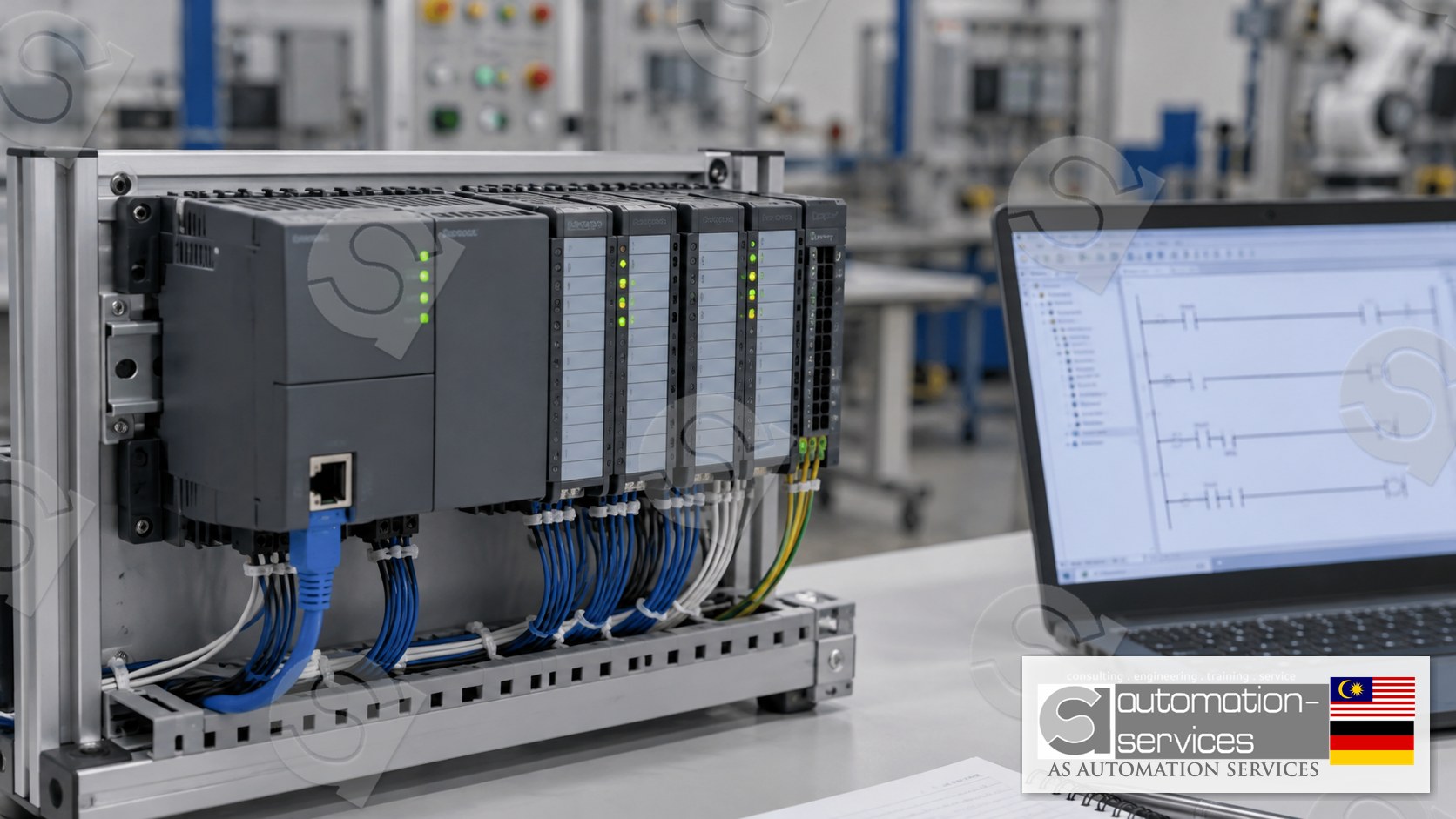
The safe place to learn processor behaviour is a training kit: a real processor, real I/O, a laptop with the correct software, and nothing connected to a conveyor, a pump or a press. You can stop the CPU, watch the scan, force a bit and recover from your own mistake without calling anyone. That is the whole point of Hands-On practice.
What you actually practise with the processor
On a training course the processor is not a slide in a deck. You wire it, you power it, and you own the result. A typical sequence looks like this.
- Identify the processor, read its part number and firmware, and confirm you opened the matching software.
- Build the hardware configuration so the software's picture of the rack matches the physical modules.
- Download a program, switch the processor between stop and run, and read what the status LEDs are telling you.
- Watch the input image update as you operate real switches, then watch the output image drive real lamps.
- Introduce a deliberate fault — a wrong address, a missing module, a program that does not fit — and recover from the error message instead of guessing.
- Carry the same processor through a small project, the Mixer Tank, so the scan cycle has a purpose rather than being theory.
Analog I/O, a variable frequency drive and a bundled HMI or SCADA screen come later in the longer format. They all depend on the same processor skills, which is why the processor comes first.
Choosing a processor to train on
If your plant already runs one brand, train on that processor. The transfer is immediate: same software, same error messages, same download steps. If you are choosing without a plant constraint — a fresh graduate, or an engineer moving between factories — the sensible order is the brand you will meet most often in your own industry, then a second family so you can see that the scan cycle is the same everywhere.
Either way the format choice is simple. A 3-day Basic to Intermediate course covers the processor, the I/O and a bundled HMI. A 5-day Basic to Advanced course adds analog I/O, a VFD, and IIoT or webserver topics with SCADA bundled into the PLC course. HMI and SCADA are not offered on their own. Classes are capped at 10, with 5 or more participants eligible for onsite delivery and smaller groups training at the Johor Bahru lab.
A short safety note
Everything described here is for a training kit in a classroom, not for a live control panel. Do not force outputs, change a program or reset a processor on running equipment unless you are authorised, the machine is in a safe state, and you understand exactly what will move. If you are unsure, stop and ask. Practising on a kit is how you become sure.
Frequently asked questions
Is the PLC processor the same thing as the PLC CPU?
Yes. Processor and CPU are two names for the module that solves the program. The rest of the PLC — power supply, input cards, output cards and communication modules — supports it. When someone says the PLC has stopped, they almost always mean this module has stopped scanning.
Can I program any processor with any PLC software?
No. The processor model decides the software. An S7-1200 needs TIA Portal, an FX5U needs GX Works3, a MicroLogix needs RSLogix 500, and a CompactLogix needs RSLogix 5000. Opening the wrong package is the first thing to check when a download fails or the processor is not detected.
Why does my processor reject a program that worked elsewhere?
Usually memory or firmware. A smaller processor may not have enough work memory for a program written on a larger one, and a project saved for a newer firmware will not load into an older CPU even when the part numbers look identical. Check both before you assume the logic is wrong.
Where can I practise with a real PLC processor safely?
On a training kit, not on a live panel. AS Automation Services runs Hands-On PLC courses in Johor Bahru for engineers from Semenanjung, Sabah, Sarawak and Singapore, using real processors from eight brands with a laptop, a manual and a certificate included. You stop, force and recover without risking production.
Next step
If you want to handle a real processor instead of reading about one, browse the PLC training courses and see which brand matches the panels you work on. For a closer look at how one processor family is taught, the Siemens S7-300 Simatic Manager beginner's guide walks through an older but still common CPU.
AS Automation Services and AS Automation Systems Training Centre PLT have trained engineers in Johor Bahru since 2012 — 13+ years, 301+ clients and 3,350+ engineers across eight PLC brands, at roughly 80% Hands-On and 20% theory. Every course includes a manual, a laptop, a PLC hardware kit, a certificate and free lifetime support. Malaysian companies can claim the training through HRDCorp SBL-Khas with a minimum of two participants; both company-sponsored and personal enrolment are welcome. The centre is a HRDCorp Registered Training Provider and is ISA, GAMP, MATA and D-U-N-S registered.
- Courses: https://asasmy.com/training
- Troubleshooting: https://asasmy.com/service-inquiry?service=troubleshooting
- PLCPro Academy: https://asasmy.com/services/plcpro-academy
- Request a quotation: https://asasmy.com/rfq
- WhatsApp: +60 10-244 3914 (Mr. Yokes)
- Email: [email protected]
Interested in Hands-On PLC Training?
HRDCorp claimable courses on real industrial equipment — at our Johor Bahru lab or onsite at your factory anywhere in Malaysia.
Request Training Quotation