Estimated read time: 8 minutes
If you maintain a packaging line, a water plant or a small machine in Malaysia or Singapore, you have probably opened a laptop, seen three Schneider names, and wondered which software actually talks to the PLC in the panel. SoMachine Basic, EcoStruxure Machine Expert – Basic, and Machine Expert (the full package) are not three different PLCs. Two of them are the same family of software under different names, and the third is a different product for a different controller. This guide explains the Modicon M221 (often called TM221 after its part-number prefix), which software to install, and what a beginner should expect before touching a live cabinet.
What the Schneider TM221 actually is
The Modicon M221 is Schneider Electric's compact logic controller for small and mid-size machines. TM221 is the part-number prefix, which is why Malaysian engineers and panel builders usually say "TM221" rather than "M221". Both names point at the same family.
A typical processor gives you a fixed block of digital inputs and outputs, room for expansion modules, and a programming port you reach with a USB cable. Some references add embedded Ethernet, so a maintenance laptop can reach the controller on the plant network. You will meet it on F&B packaging lines, water skids, small OEM machines and light process lines across Peninsular Malaysia, Sabah, Sarawak and Singapore. It is a compact PLC. If the panel has a Modicon M340 or another Schneider family, do not assume the same software applies. Match the processor label to the software first.
SoMachine Basic and Machine Expert Basic are one product line
This is the naming trap that wastes a morning. The programming software for the Modicon M221 used to be called SoMachine Basic. Schneider later brought it under the EcoStruxure name. The current software is EcoStruxure Machine Expert – Basic. It is the successor to SoMachine Basic, not a rival product you must buy alongside it.
Old project files from SoMachine Basic use the .smbp extension. You open those files directly in EcoStruxure Machine Expert – Basic and the software migrates them. You do not retype the ladder from a printout just because the splash screen changed. If a colleague in Johor emails you a project saved years ago, ask for the .smbp file and open it in the current Basic software before you assume the program is lost.
EcoStruxure Machine Expert – Basic is distributed as a free licence for M221 controllers. Free does not mean anonymous: Schneider's download path normally asks you to register and activate through their licence portal. Budget that step before a class or a shutdown window, because a factory guest Wi-Fi often blocks the activation page at the worst moment.
Do not confuse this with EcoStruxure Machine Expert without the word Basic. The full Machine Expert package is the environment for other Modicon machine controllers, such as the M241 and M251 families. Installing the full package does not automatically make you ready for a TM221, and installing only Basic does not make you ready for those larger controllers. Read the processor label, then install the matching software.
What you actually do inside Machine Expert Basic
Once the software is installed, a TM221 project is a small set of jobs you will repeat on every machine. None of these steps should be learned for the first time on a running production line.
- Hardware configuration. You tell the software which processor you have, which expansion modules sit on the side, and which cartridge options are fitted. If this picture does not match the panel, the program can look perfect and still refuse to download.
- Programming. Machine Expert – Basic supports the languages maintenance teams actually inherit: ladder, instruction list, structured text and Grafcet (SFC). In Malaysian plants the program you inherit is usually ladder. Learn to read that first.
- Connection. A USB-to-mini-USB cable is the usual maintenance lead for an M221. Ethernet models can also be reached on the network. Bluetooth adapters exist, but a cable you can see is kinder while you are still learning.
- Transfer. You download a tested project to the controller, upload the project that is actually running, and keep a dated copy. Upload before you change anything. If the only copy lives in the PLC and the battery or memory is tired, you do not get a second chance.
- Commissioning and online test. You watch bits change, force with extreme care on a training kit, and confirm the sequence before anyone asks you to "just try it" on the line.
Ladder habits that transfer from other brands
If you already know a Mitsubishi, Omron, Siemens or Allen-Bradley compact PLC, the scan is the same scan: read inputs, solve logic, write outputs. A timer you knew as TON is still an on-delay. What changes is the address style, the configuration tree and the menu names. The usual first-day loss is hunting for a menu that was renamed when SoMachine Basic became Machine Expert – Basic, then rushing the wiring. Name every coil after the real device, such as mixer inlet valve or tank high level. A symbol list is what makes an upload readable at 2 a.m.
Where beginners lose half a day
A few faults show up so often that they are worth listing before you travel to site.
- Wrong software family. Basic versus full Machine Expert. Check the label before you install.
- No activation. The installer finished, but the licence portal step did not. The PC looks ready and then will not open a project.
- Cable and port. Mini-USB is not micro-USB. The connector that fits your phone is often the wrong one for the M221.
- Project not the one that is running. You edited an office copy while the controller still holds last year's logic. Upload first, save it under a new name, then edit.
- Configuration drift. Expansion modules were added on site and never added in the software tree. The download fails for a reason that has nothing to do with your rungs.
- Forcing on a live output. A force that is harmless on a training lamp can move a valve or a cutter on a real machine. Training kits exist so that this lesson stays cheap.
How a TM221 course is usually run
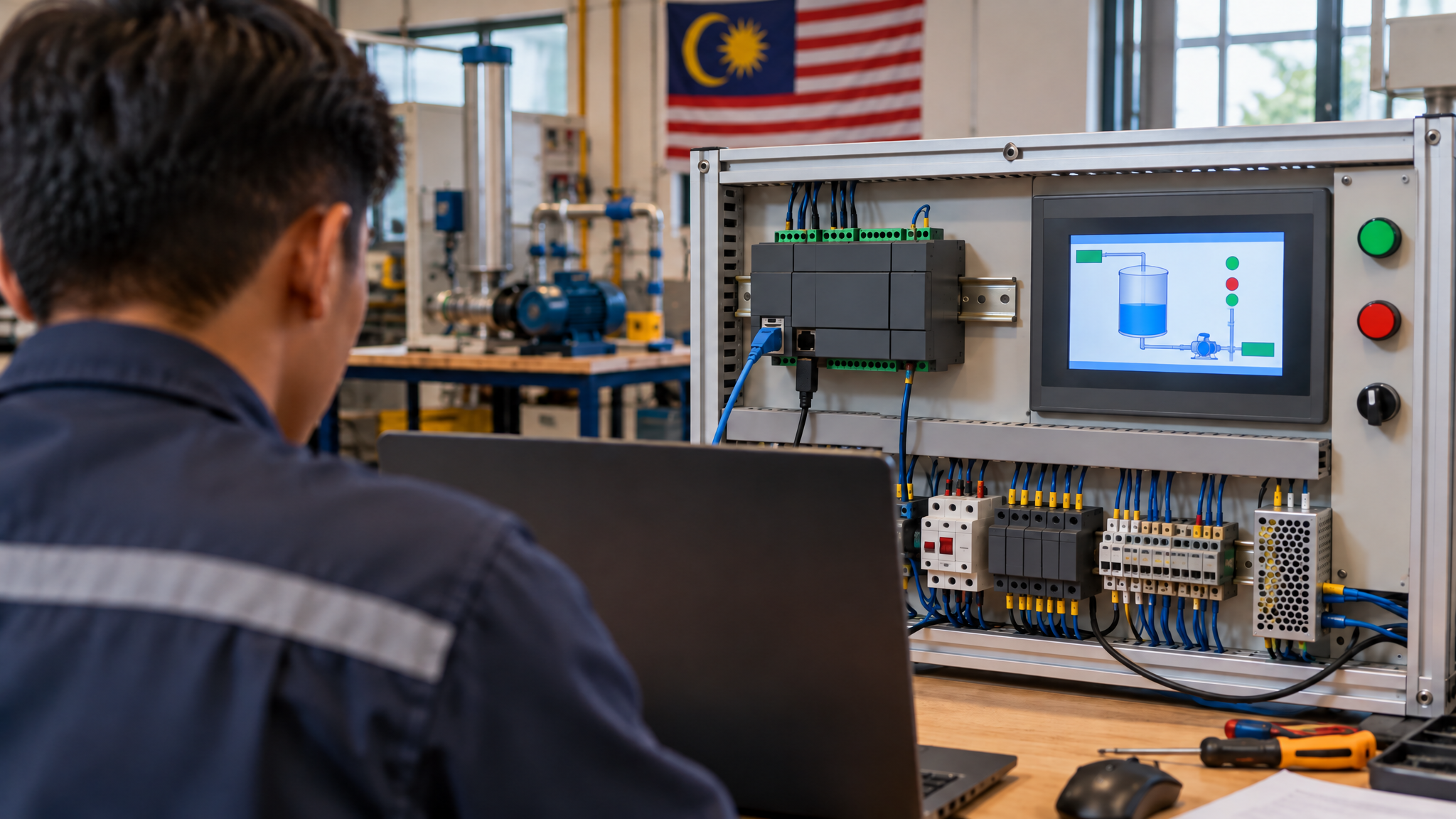
At our Johor Bahru lab the Schneider path is taught as PLC and HMI together, because a controller without a screen is not how the machine is actually run. The three-day class is Basic to Intermediate: you build, download and test programs on a Schneider TM221 with Vijeo Designer on the HMI, using SoMachine / Machine Expert Basic on the training laptop. The five-day class continues into Basic to Advanced and adds analogue I/O, a variable-frequency drive, IIoT or web-server topics, and SCADA-style supervision around the same hardware family.
Classes are capped at 10 people. About 80 percent of the time is Hands-On on the kit and about 20 percent is briefing. The standard project is a Mixer Tank: pumps, valves, levels and a sequence you can see. You get a manual, a laptop during the class, the PLC hardware kit on the bench, a certificate and free lifetime support after you go back to the plant. Five or more people can train onsite. Fewer than five, you come to the lab in Johor Bahru.
Malaysian companies can claim the course under HRDCorp SBL-Khas when the employer sponsors the training and at least two participants attend. Personal enrolment is also open if you are paying your own way and want the same bench time. We do not publish course fees on the blog; ask for a quotation so the figure matches your headcount and dates.
A safety note before you connect to anything
This article is educational. It is not a procedure for a live panel. Before you download, upload or force a bit on equipment that can move, stop, heat or pressurise, follow your site's permit and lockout-tagout rules, confirm you have the right program backup, and do the work with the people who own that machine. Practise the software steps on a training kit or a powered-down, isolated trainer first. If you are not sure the output you are about to energise is safe, do not energise it.
What to prepare if you are joining a class
You do not need to be a programmer already. You do need basic computer use and basic electricity: what a contact is, what a coil is, and why a 24 V sensor is not a 230 V contactor. Bring plant questions as industry and symptoms only. Menu names will keep shifting a little under the EcoStruxure brand. The scan, the backup habit and the refusal to force a live output will not.
Frequently asked questions
Is SoMachine Basic the same as EcoStruxure Machine Expert Basic?
Machine Expert – Basic is the current name of the software that used to be called SoMachine Basic. It programs the Modicon M221 (TM221) family. Old .smbp projects open in the new software and migrate. It is not the same product as full Machine Expert, which targets other Modicon controllers such as the M241 and M251.
Do I have to pay for Schneider TM221 programming software?
EcoStruxure Machine Expert – Basic is offered as a free licence for M221 controllers. You still register and activate it through Schneider's licence portal, so plan for an account and a network that allows that page. Free software is not the same thing as a training seat, a laptop and a hardware kit.
Can I learn Schneider TM221 if I already know Mitsubishi or Siemens?
Yes. The scan, contacts, coils, timers and backups carry across. What you must relearn is the address style, the configuration tree and the menu names inside Machine Expert – Basic. Give yourself a day on a training kit before you judge the platform by a live fault.
Is HMI included or is it a separate Schneider course?
On our Schneider path the HMI is bundled, not sold as a standalone class. You program the TM221 and a Vijeo Designer screen together, because that is how the machine is operated. SCADA-style topics sit in the longer five-day class, not in a separate HMI-only course.
Next step
If the name confusion was the blocker, you now know which software matches a TM221 label. The faster way to make it stick is a bench, a Mixer Tank sequence and someone who will stop you before a bad download becomes a habit.
- See the Schneider dates and formats: Schneider TM221 3-day course and the full list at Courses.
- A related lab story, without the client name: Schneider TM221 PLC and HMI, three days from setup to Hands-On project.
- Company-sponsored Malaysian teams can claim HRDCorp SBL-Khas (minimum two participants). Personal enrolment is welcome too.
- Structured practice after class sits with PLCPro Academy.
- Already stuck on a live Schneider panel? Describe the industry and the symptom via Troubleshooting.
- Ask for a quotation: RFQ, WhatsApp +60 10-244 3914 (Mr. Yokes), or email [email protected].
Interested in Hands-On PLC Training?
HRDCorp claimable courses on real industrial equipment — at our Johor Bahru lab or onsite at your factory anywhere in Malaysia.
Request Training Quotation