Estimated read time: 8 minutes
If you maintain a plant in Johor, Penang, Selangor or Singapore, an Omron controller is probably already on the line. Older machines run CP1E or CP1L with CX-Programmer. Newer ones — the ones your vendor now quotes — are NX Series, programmed in Sysmac Studio. Those two environments do not feel the same, and that gap is where most engineers get stuck.
This guide is for you if you already know ladder logic and want a clear picture of Omron NX Series and Sysmac Studio before you book a course, take over a new machine, or explain the difference to your manager. It is educational only. It is not a procedure for changing a live program.
What Omron NX Series actually is
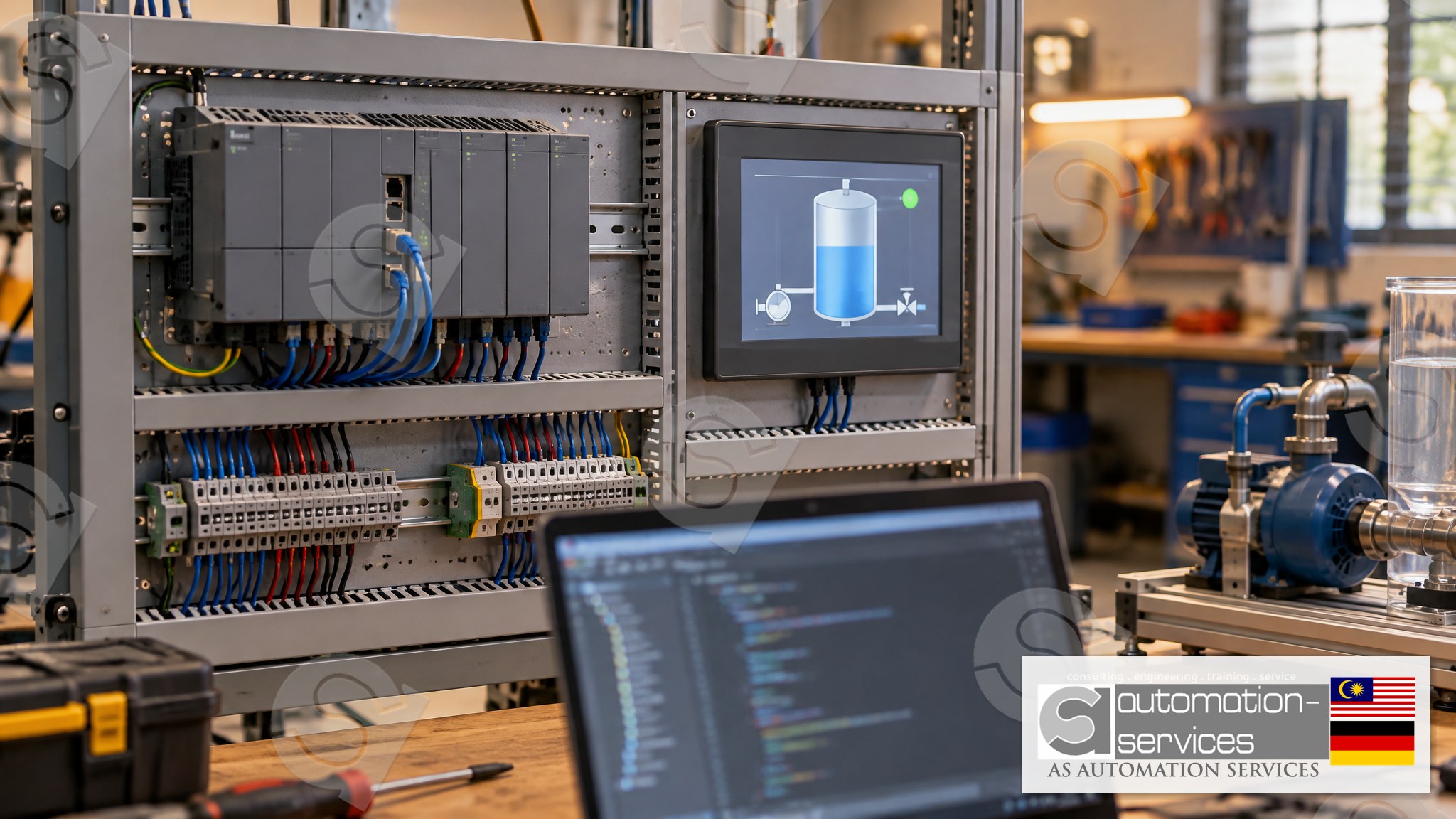
Omron NX Series is a modular machine-automation controller family. The unit you are most likely to meet on a compact machine is the NX1P2: one CPU with built-in EtherCAT and EtherNet/IP, plus a slice of local I/O. Larger NX and NJ controllers sit on bigger lines, but the programming idea is the same.
Three things separate NX from the C Series:
- The software is Sysmac Studio, not CX-Programmer. CX-Programmer stays the right tool for CP1E, CP1L, CP1H, CJ and CS. Opening an NX program in CX-Programmer is not possible.
- The project is one file for the whole machine. PLC, motion axes, EtherCAT devices and the NB HMI screens live in the same Sysmac Studio project. On the older stack you kept CX-Programmer and a separate HMI package side by side.
- Variables replace memory addresses as the default. You still can map I/O, but you name a tag — Mixer_Start, Tank_Level — and the software allocates the memory. That is closer to Siemens TIA Portal than to classic Omron addressing.
If your factory still has twenty CP1L panels and one new NX1P2 filler, you need both skills. CX-Programmer knowledge transfers as ladder thinking. It does not transfer as button locations, upload steps or fault codes.
Sysmac Studio, in the order you will actually use it
A first week in Sysmac Studio usually follows the same path, whether you are in a lab in Johor Bahru or standing next to a new machine in Singapore.
1. Create the project and pick the CPU
Start a new project, choose the controller (NX1P2 is the common small-machine and training CPU) and set the firmware version to the sticker on the unit. A mismatch is the usual reason a download is refused. Write the revision down before you leave the panel.
2. Build the EtherCAT network
NX1P2 uses EtherCAT for remote I/O and many servo drives. In Sysmac Studio you scan or add the devices, confirm the node order matches the physical daisy-chain, and check that every slave shows a name you recognise. A swapped node does not always throw a dramatic fault. It quietly maps the wrong valve.
3. Name the I/O, then write ladder
Map inputs and outputs to variables a colleague can read six months later, then write the ladder. Contacts, coils, timers, counters and compares are all there. What changes is where the tag lives. Use the cross-reference pane early. It replaces a lot of Ctrl+F habits from CX-Programmer.
4. Simulate before you touch hardware
Sysmac Studio has a built-in simulator. Use it to prove the sequence: start permissive, fill, mix, discharge, fault reset. Simulation will not catch a wrong wire. It will catch a seal-in that never drops out, which is the bug that ruins a Monday morning.
5. Go online, compare, then download
Always compare the project with the controller before you transfer. A blind download overwrites someone else's edits. Take a backup, put the date and machine name in the filename, and store a copy off that laptop.
NX Series versus the Omron you already know
Here is the practical comparison we walk through with engineers who arrive knowing only CX-Programmer.
| Topic | C Series (CP1E / CP1L) | NX Series (NX1P2 and family) |
|---|---|---|
| Software | CX-Programmer | Sysmac Studio |
| HMI, typical | NB series via NB-Designer, or a third-party panel | NB series via NB-Designer, often inside the same project workflow |
| Addressing | CIO, W, H, D areas | Named variables, with I/O map underneath |
| Network | Serial, Ethernet option, DeviceNet on larger CJ | EtherCAT and EtherNet/IP built into NX1P2 |
| Motion | Separate or limited | Axis configuration inside Sysmac Studio |
| Best fit | Existing machines you must keep running | New machines and any panel your OEM now ships |
Neither platform is "the old one to abandon". Malaysian and Singaporean plants will run both for years. The engineer who can open either file, take a backup, and explain the difference to a supervisor is the one who gets called at 2 a.m. — and the one who can actually help.
A safe first project: Mixer Tank
The cleanest way to learn Sysmac Studio is a small sequence you already understand. At our Johor Bahru lab the standard project on every brand, including Omron NX, is a Mixer Tank: inlet valve, level, agitator, discharge valve and a fault lamp. You wire the kit, name the variables, write the ladder, build three or four NB HMI screens, and only then connect.
Safety note — read this before you open any live CPU
Everything above is for learning. It is not a work instruction for equipment in production. Before you connect a laptop to a running Omron NX controller:
- Follow your site's permit and lockout-tagout rules. A download can stop a machine, and it may require the controller to stop first.
- Back up the existing program and store the file off the machine, with the date in the name.
- Do not force outputs on a live process. Forces left on cause unexpected motion.
- Do not rearrange EtherCAT slaves to "see what happens". Node order matters on machines with drives.
- If you are not the authorised person for that panel, stop and call the person who is.
Training hardware in a lab is the right place to make mistakes. A filler, a press or a mixer in production is not.
What a proper Omron NX course should include
If you are comparing training providers in Malaysia or Singapore, look for these, not for a slide deck of the instruction set:
- Real NX hardware, not a screenshot tour. You should upload, download, and recover from a failed transfer yourself.
- Sysmac Studio and the HMI together. HMI and SCADA belong inside the PLC course. A class that never builds a screen leaves you half-trained.
- A 3-day Basic to Intermediate path covering PLC plus HMI, and a 5-day Basic to Advanced path that adds analog I/O, VFD, IIoT or webserver topics, and SCADA.
- A small class. Ten people is already a lot when everyone needs a laptop and a PLC kit. Below five, a Johor Bahru lab session gives you your own set. Five or more, the trainer can come to your plant.
- Hands-On time as the majority of the day — about 80 percent practice, 20 percent briefing — plus a manual, a certificate and someone you can still message after the class ends.
AS Automation Services and AS Automation Systems Training Centre PLT have run that format in Johor Bahru since 2012, across eight PLC brands, with HRDCorp SBL-Khas claimable training for Malaysian companies. The Omron NX path uses Sysmac Studio, NX Series hardware and an NB HMI. The older C Series path, with CX-Programmer and CP1E or CP1L, is a separate course — book the one that matches the CPU on your panel, not the one that sounds newer.
See the course outlines here: Omron NX Series, 3-day Basic to Intermediate. If your plant is still on CP1, start with Omron C Series with CX-Programmer instead. For a wider look at how HMI and SCADA differ before you sit in either class, read HMI vs SCADA: which one your PLC course should cover.
Who this is for
This is written for maintenance and electrical engineers, automation technicians, fresh graduates, project engineers, factory owners and HR or training managers across Peninsular Malaysia, Sabah, Sarawak and Singapore. Malaysian companies can claim HRDCorp SBL-Khas (minimum two participants, company-sponsored or personal enrolment). Individual upskillers do not need a company letter. Omron machines show up in food and beverage, electronics, ports and shipyards, oil and gas utilities, construction materials, entertainment, universities and automation servicing companies. The sequence still has to be safe, backed up and readable by the next person.
Frequently asked questions
Can I program an Omron NX Series PLC with CX-Programmer?
No. CX-Programmer is for Omron C Series and CJ/CS controllers such as CP1E and CP1L. NX Series, including NX1P2, is programmed only in Sysmac Studio. If your panel label says NX, install Sysmac Studio and do not spend the morning hunting for a CX-Programmer driver.
Is Sysmac Studio difficult if I already know CX-Programmer?
The ladder itself is familiar. The project layout, variable names, EtherCAT setup and online transfer steps are not. Most engineers who already write decent ladder need one focused Hands-On week, not a new career. Expect the first day to feel slow and the third day to feel obvious.
Do I need a separate HMI course for the Omron NB panel?
No. At AS Automation Services the NB HMI is built inside the PLC course, using NB-Designer, on both the 3-day and 5-day Omron NX programmes. We do not run standalone HMI or SCADA classes. SCADA topics sit in the 5-day advanced days, bundled with the PLC work.
Is Omron NX training HRDCorp claimable in Malaysia?
Yes, when the class is run by AS Automation Systems Training Centre PLT, an HRDCorp Registered Training Provider, under SBL-Khas. The claim applies to Malaysian companies only, with a minimum of two participants. Company-sponsored and personal enrolment are both available. Singapore participants enrol as personal trainees.
Next step
If an NX Series CPU is about to land on your line, do not wait for the commissioning week to open Sysmac Studio for the first time. Look at the courses, ask for a date, or send the panel photo and we will tell you whether you need NX or C Series.
- Courses: https://asasmy.com/training
- PLCPro Academy: https://asasmy.com/services/plcpro-academy
- Troubleshooting support: https://asasmy.com/service-inquiry?service=troubleshooting
- Request a quotation: https://asasmy.com/rfq
- WhatsApp Mr. Yokes: +60 10-244 3914
- Email: [email protected]
HRDCorp SBL-Khas claimable training is available for Malaysian companies only, minimum two participants, whether the company sponsors the seat or you enrol personally. Classes run in Johor Bahru for groups under five, and onsite anywhere in Peninsular Malaysia, Sabah, Sarawak or Singapore for groups of five or more, up to ten participants. You leave with a manual, a laptop during class, a PLC hardware kit on the bench, a certificate and free lifetime support.
Interested in Hands-On PLC Training?
HRDCorp claimable courses on real industrial equipment — at our Johor Bahru lab or onsite at your factory anywhere in Malaysia.
Request Training Quotation