
Estimated read time: 8 minutes.
A PLC fault at 2 am looks the same on every plant floor in Peninsular Malaysia, Sabah, Sarawak and Singapore: the machine is stopped, the panel LEDs are telling you something, and the production supervisor is already on the way. The difference between a 20-minute restart and a lost shift is usually not a spare part. It is whether you can read the fault and decide what it means before you touch anything.
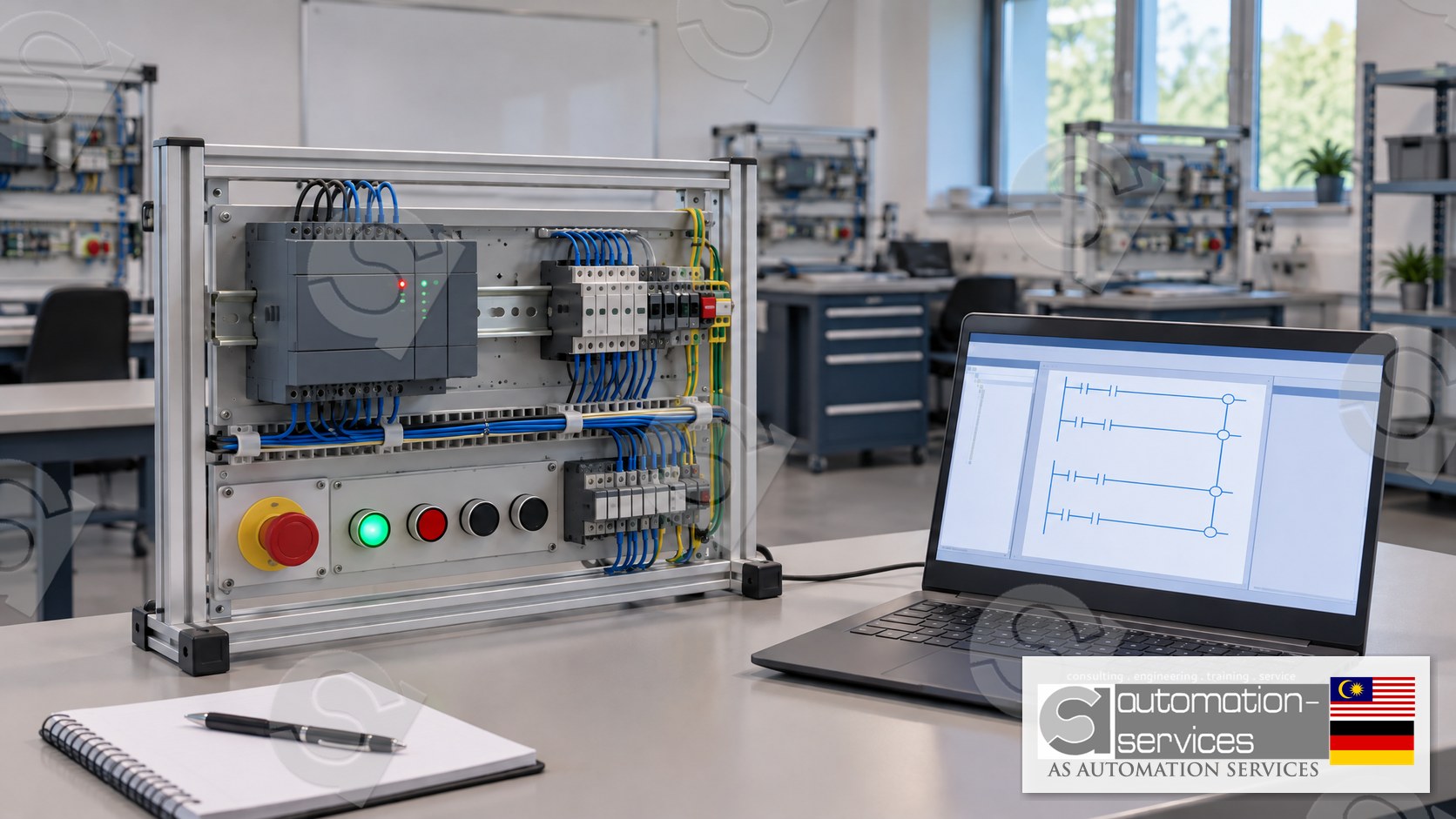
This guide walks through how to diagnose a PLC fault on a Siemens S7-1200 using TIA Portal, the way it is practised on a training kit in a Hands-On class. It is educational. It is not a procedure for live equipment.
Why PLC faults cost more than the repair
Search data from Malaysian engineers shows the same questions repeating: why a programmable logic controller fails, why a PLC system keeps crashing during production, and what an industrial PLC fault actually looks like. The questions come from maintenance engineers, automation technicians and fresh graduates who inherited a panel and were never shown how to read it.
Most of the time the controller itself is fine. The fault is a signal, a power supply, a loose terminal or a program that was changed and never documented. Learning to separate those four causes is the skill. Guessing and swapping modules is how a small fault becomes a long one.
Read the fault before you open the panel
On an S7-1200 the CPU gives you three pieces of information before you connect a laptop: the RUN/STOP state, the ERROR LED and the diagnostic buffer once you do go online. Treat them in that order.
The RUN/STOP switch and LEDs
A CPU in STOP with the ERROR LED steady is not the same fault as a CPU that drops into STOP on its own. The first usually means someone put it there, or a startup condition failed. The second means the CPU hit a condition it cannot continue from, such as a programming error, a missing module or a watchdog timeout. Note which one you have before you change anything.
The diagnostic buffer in TIA Portal
Going online with TIA Portal and opening the diagnostic buffer is the single most useful step in PLC fault diagnosis on an S7-1200. The buffer keeps a history of events, newest first, with a timestamp and a short text. Read the newest event, then read the two before it. The newest line often only says the CPU went to STOP. The line before it usually says why.
Common entries include a module that is missing or mismatched, an I/O access error, a programming error, and a startup failure after a brownout. Each points somewhere different. A module mismatch sends you to the hardware configuration. A programming error sends you to the block named in the entry. An I/O access error sends you to one channel, not the whole rack.
Five PLC faults and what each one is really telling you
These are the faults maintenance teams in Malaysia and Singapore describe most often. Each one has a first check that costs nothing and a second check that needs the software.
1. CPU drops to STOP during production
First check the ERROR LED and whether anything else in the panel changed, such as a contactor dropping out. Then read the diagnostic buffer. If the entry names a programming block, the fault is in the logic, often a divide by zero or an array index out of range. If it names a module, the fault is hardware or configuration. Write the entries down before you clear the buffer. Clearing it throws away your only evidence.
2. One input reads wrong and the rest are fine
A single channel that never turns on, while its neighbours work, is almost never a CPU fault. Check the field device and the terminal first: is the sensor switching, and is the wire on the terminal the program expects? Then confirm the tag address in TIA Portal matches the drawing. On a plant floor the drawing and the panel often drift apart, which is exactly why the check matters.
3. Everything died at once
When every input and output goes dead together, stop looking at individual channels. Measure the 24 V DC supply instead of assuming it. A supply that has sagged under load still looks fine at a glance and will drop the whole rack. Then check the breaker or fuse feeding that supply. This gets misdiagnosed as a failed CPU more than any other fault, because an unpowered CPU looks dead.
4. The program runs but the machine does the wrong thing
The CPU is in RUN, the LEDs look healthy, and the sequence is wrong. This is not a hardware fault. Compare the online block in TIA Portal with your offline project. A mismatch means someone downloaded a change and did not tell you. Then step through the sequence against the functional description using the watch table. It is slower than guessing, and it is the only way to find the step that changed.
5. The fault comes back after a restart
A fault that clears on a power cycle and returns within minutes still has its cause in place. You cleared the symptom, not the cause. Check what changed just before it returned, such as a motor starting or a heater switching, and look for the same diagnostic buffer entry repeating at the same point in the cycle. A repeating entry on one module address is a loose connection or a failing device. A new CPU will not fix it.
What a training kit teaches that a manual does not
Reading about a diagnostic buffer and using one are different skills. In the Siemens S7-1200 course at AS Automation Services the fault work happens on a training kit, not on a live plant panel. You set up the standard Mixer Tank project, then you are given faults to find: a wire moved to the wrong terminal, a module configured but not fitted, a block with a deliberate programming error. You practise the same order every time. Note the LEDs, go online, read the buffer, then test one thing.
That order is the whole lesson. Engineers who skip to swapping parts get fast at swapping parts. Engineers who read the buffer first get fast at not needing to.
The 5-day Siemens course covers the S7-1200 with TIA Portal V18 and adds analogue I/O, a variable frequency drive, an IIoT and web server exercise, and SCADA, all inside the PLC course. The 3-day course covers PLC and HMI, with the HMI built in WinCC Comfort and bundled with the PLC work rather than offered on its own. Both run at a maximum of 10 participants, with about 80 percent Hands-On work and 20 percent theory. You get the manual, a laptop, the PLC hardware kit, a certificate and free lifetime support.
Classes run at the Johor Bahru lab for groups under 5, and onsite anywhere in Peninsular Malaysia, Sabah, Sarawak or Singapore once a group reaches 5 participants. AS Automation Services and AS Automation Systems Training Centre PLT have trained engineers this way since 2012, across 8 PLC brands, and the centre is an HRDCorp Registered Training Provider. Company-sponsored training for Malaysian companies is claimable under HRDCorp SBL-Khas with a minimum of 2 participants, and personal enrolment is available too.
A safe way to practise fault finding
Safety note. Everything above describes practice on a training kit in a classroom. Do not apply these steps to a live control panel, a running production line or any circuit you are not authorised and competent to work on. Live panels carry voltages that can injure or kill, and a wrong download can move machinery. Fault finding on live equipment belongs to the qualified person responsible for that plant, with the plant's own lock-out procedure followed. If you are learning, learn on a kit.
Where to go from here
If the fault language in this guide is new to you, the fastest way to make it stick is to cause the faults yourself and find them, on a kit, with a trainer watching. The Siemens S7-1200 TIA Portal course is built around exactly that. If you want the wider picture of how a PLC, an HMI and a SCADA system divide the work between them, read HMI vs SCADA in a PLC course first.
You can browse every course on the courses page, ask about a fault you are stuck on through the troubleshooting inquiry, or look at PLCPro Academy if you want a structured path rather than a single course. For a company group, send an RFQ. For a quick question, WhatsApp Mr. Yokes on +60 10-244 3914 or email [email protected].
Frequently asked questions
What is the first thing to check when a PLC fault stops a machine?
Note the CPU state and the ERROR LED before you touch anything, then go online and read the diagnostic buffer from the newest entry backwards. The newest line usually only records the stop. The entry before it names the real cause, which decides whether you look at logic, a module or the power supply.
Why does a PLC fault come back after a power cycle?
Cycling power clears the symptom and leaves the cause in place, so the same entry returns in the diagnostic buffer within minutes. Match the repeating entry to what changed just before it, such as a motor starting. Replacing the CPU does not fix a loose terminal or a failing field device.
Can I learn PLC fault diagnosis without access to a live plant panel?
Yes, and it is the safer way to learn. A training kit lets you create a missing module, a wrong terminal and a deliberate programming error, then find each one with TIA Portal. You build the same diagnostic habit you will use later, without the risk of a live panel.
Is HMI fault finding included in a Siemens PLC course?
HMI work is included only as part of the PLC course, never as a standalone class. In the Siemens courses the HMI is built in WinCC Comfort alongside the S7-1200 program, so you see how a screen fault and a PLC fault differ and which one to chase first.
Interested in Hands-On PLC Training?
HRDCorp claimable courses on real industrial equipment — at our Johor Bahru lab or onsite at your factory anywhere in Malaysia.
Request Training Quotation